
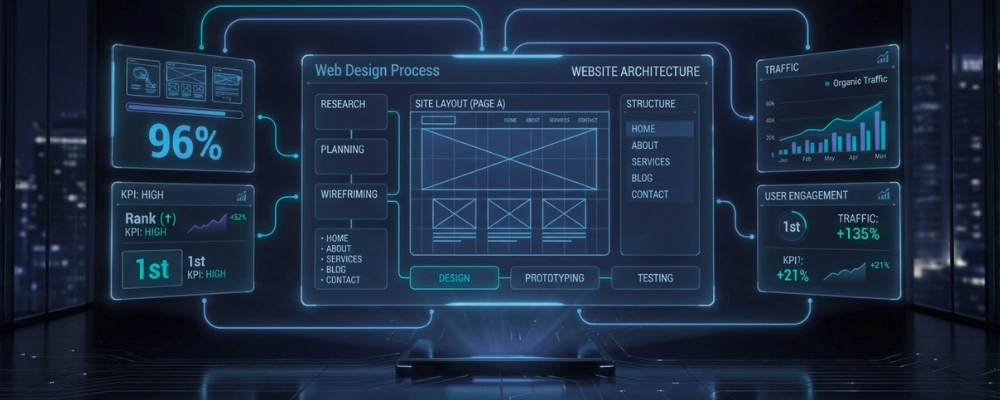
Web design is the process of planning, structuring, and building the visual and functional parts of a website – from the layout and colors to how pages connect and how fast everything loads.
If you are starting a new business or refreshing an old site, understanding how web design works helps you make better decisions and avoid wasting money on something that does not perform.
What Is Web Design?
Web design covers everything a visitor sees and interacts with on a website. That includes the layout, fonts, colors, buttons, images, and navigation menus.
It is different from web development, though the two overlap. Design focuses on how the site looks and feels. Development focuses on the code that makes it run.
Step 1: Discovery and Planning
Every good website starts with a plan. Before anything is designed, you need to answer a few key questions.
Who is your audience? What do you want visitors to do – buy something, call you, fill out a form? What pages do you need?
This phase is called discovery, and skipping it is one of the most common reasons websites underperform. A site built without a clear goal rarely converts visitors into customers.
Step 2: Site Structure and Sitemap
Once goals are clear, a sitemap is created. A sitemap is a simple outline of all the pages on your site and how they connect to each other.
Think of it like a floor plan for a building. You decide where each room goes before you start laying bricks.
A clean structure helps visitors find what they need quickly – and it helps Google understand and rank your pages.
Step 3: Wireframes
A wireframe is a basic sketch of each page layout. It shows where the headline goes, where the images sit, where buttons are placed – but with no colors or real content yet.
This step saves a lot of time. It is much easier to move a button on a sketch than to rebuild a finished page.
Wireframes let you review the layout and logic before a single pixel is designed.
Step 4: Visual Design
This is where the site starts to look like a real website. A designer applies your brand colors, fonts, images, and overall style to the wireframes.
Good visual design is not just about making things look nice. It guides the visitor’s eye toward the most important actions on the page – like a “Get a Quote” button or a product listing.
Step 5: Responsive Design
Your site needs to work on phones, tablets, and desktops. Responsive design means the layout automatically adjusts based on the screen size.
Over 60% of web traffic comes from mobile devices. A site that breaks on a phone loses those visitors immediately.
Responsive design is not optional in 2026 – it is a baseline requirement.
Step 6: Content Placement
Content includes your written copy, images, videos, and calls to action. Where you place content matters as much as what you write.
The most important message should appear at the top of the page – above the fold – so visitors see it without scrolling. Supporting details go below.
This is why homepage design often takes the most planning. It sets the tone for the entire site.
Step 7: User Experience (UX)
UX – short for user experience – refers to how easy and enjoyable it is to use your site. A well-designed site loads fast, has clear navigation, and never leaves a visitor confused about what to do next.
Poor UX is the number one reason visitors leave a site within seconds. Common UX problems include too many menu options, slow load times, and unclear calls to action.
Step 8: Development Handoff and Build
Once the design is approved, it moves to development. A developer turns the design files into a working website using code or a platform like WordPress.
This stage is where functionality is built – contact forms, e-commerce carts, booking systems, and more.
The design and development stages need to stay aligned. Miscommunication here often leads to a finished site that looks different from what was approved.
Step 9: Testing and Launch
Before launch, the site is tested across multiple browsers and devices. Buttons, forms, links, and load speeds are all checked.
A broken link or a form that does not submit can cost you real leads. Testing catches these issues before visitors do.
After testing, the site goes live – but the work does not stop there.
Step 10: Updates and Maintenance
A website is not a one-time project. Plugins need updating, content needs refreshing, and performance needs monitoring.
Sites that are not maintained become slow, outdated, and vulnerable to security issues. Regular updates keep your site running properly.
How Halal Outreach Helps
At Halal Outreach, we walk you through every stage of the web design process – from the initial sitemap to post-launch updates. We focus on building sites that are clear, functional, and built around your business goals.