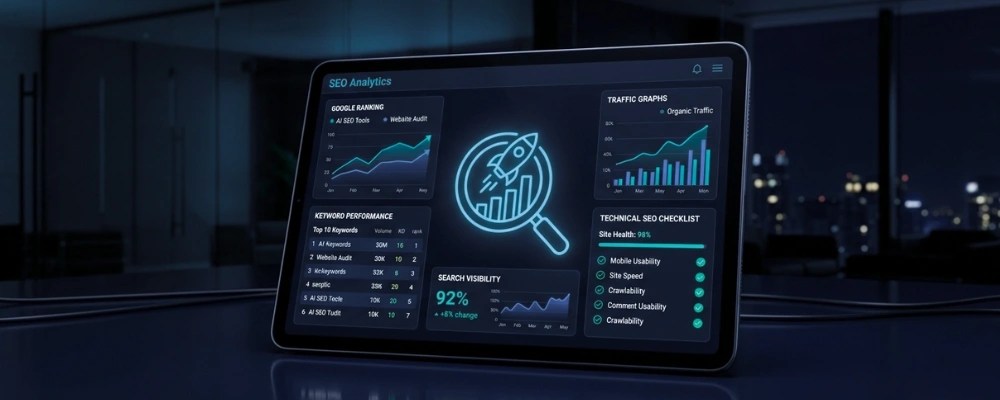



Quick Answer: A strong client SEO report covers five core areas: organic traffic, keyword rankings, backlink profile, technical health, and conversions. Present data in a clean structure with an executive summary first, context around every metric, and a clear list of next steps. Skip vanity metrics. Focus on business impact.
Table of Contents
Clients rarely care about data for its own sake. They care about what the data means for their business. An SEO report for a client should answer one question above all others: is the SEO work you are delivering moving the needle? If your report doesn’t answer that clearly, you’ll spend every meeting explaining numbers instead of discussing strategy.
Here’s how to build a client SEO report that communicates value, builds trust, and keeps the engagement moving forward. If you are still defining the scope of the engagement itself, start with what an SEO service should actually include, because the report can only measure what the contract promised.
What Key Metrics Belong in a Client SEO Report?
Not every metric deserves space in a client-facing report. Focus on the ones that connect directly to business outcomes.
Organic Traffic
Show total organic sessions over the reporting period. Compare month-over-month and year-over-year. Year-over-year comparisons account for seasonal patterns and give a more accurate picture of progress.
Break traffic down by landing page or channel where it adds context. A spike in traffic to a blog post that doesn’t convert tells a different story than a spike to a product page.
Keyword Rankings
Include a focused list of target keywords; not hundreds. Show current position, movement from the prior period, and estimated monthly search volume. The list should come from the keyword research done at the start of the engagement, not from whatever happened to move this month.
Prioritize keywords tied to commercial intent. Rankings for informational keywords matter, but clients respond to movement on terms that drive leads or sales.
Backlink Profile
Report on the total number of referring domains, not just total backlinks. A single domain sending 500 links inflates the number without adding proportional value.
Flag any new high-authority links earned during the period. Also flag any toxic or lost links that may require action.
Technical SEO Issues
Summarize open technical issues by severity: critical, moderate, and low. Don’t list every crawl error. Focus on problems that are actively limiting performance.
Show resolved issues alongside open ones. This demonstrates ongoing work and helps clients see that progress is continuous, not just a one-time fix.
Conversions and Goal Completions
This is the metric clients care about most. Tie SEO activity to actual conversions; form submissions, calls, purchases, or whatever goal is defined in Google Analytics or your tracking platform. Where possible, translate those conversions into marketing ROI so the client can compare SEO with their other channels.
If conversions are low despite traffic growth, say so plainly. Explain what may be contributing to the gap, whether that’s landing page quality, offer alignment, or tracking gaps.
How Should You Structure the SEO Report?
A clear structure prevents confusion and reduces the time clients spend trying to find what they need.
[IMAGE PLACEMENT: In-content image 1, directly under this paragraph and before the executive summary advice] Alt text: SEO report structure showing executive summary, performance snapshot, metric sections and action list
Lead with an executive summary. Two to four sentences covering what changed, why it matters, and what happens next. Busy clients read this section and often nothing else.

Follow with a performance snapshot; one page of high-level metrics with period-over-period comparisons. Use simple visuals. Bar charts and trend lines communicate faster than tables for most audiences.
Then go deeper into each metric category. Keep each section short. One or two paragraphs of interpretation per metric is usually enough. Clients don’t need to understand everything; they need to trust that you do.
End with a prioritized action list. Three to five items with clear owners and expected timelines. This section turns a report into a working document.
What Tools Should You Use to Build a Client SEO Report?
You don’t need a complex setup. A few reliable tools cover most reporting needs.
- Google Search Console for keyword rankings, impressions, and click-through rates
- Google Analytics 4 for organic traffic, conversions, and user behavior (make sure the client has their own user access in Google Analytics so they can verify the numbers themselves)
- Ahrefs or Semrush for backlink analysis, keyword tracking, and competitor data
- Screaming Frog or Sitebulb for technical audits
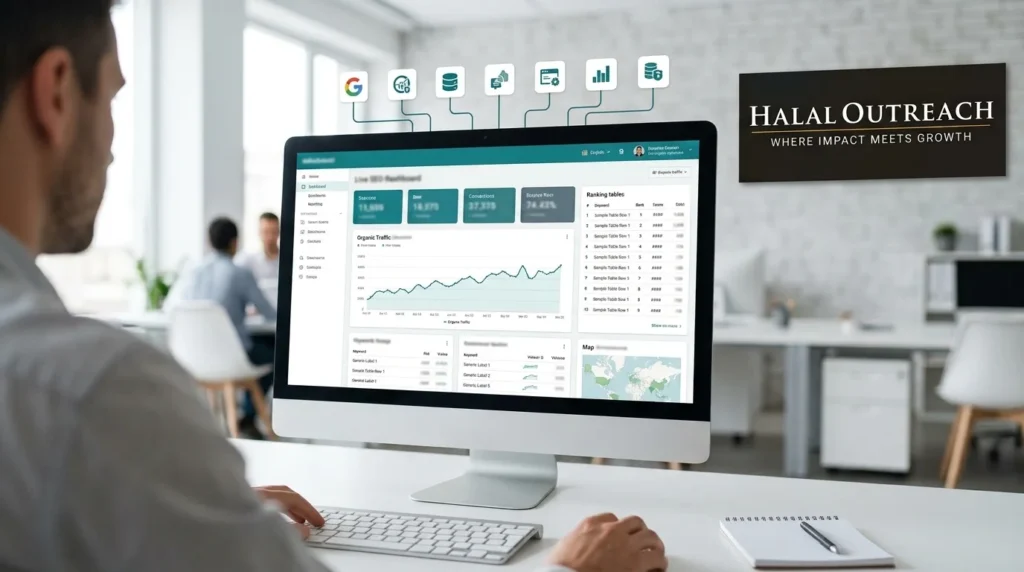
- Google Looker Studio for assembling data into a clean, repeatable client dashboard
[IMAGE PLACEMENT: In-content image 2, directly under the tools list and before the Looker Studio paragraph] Alt text: Google Looker Studio SEO dashboard pulling data from Search Console, GA4 and Ahrefs into one client report
Looker Studio is worth setting up early. It pulls live data from multiple sources and saves significant time once the template is built. Clients can also view their dashboard between reporting periods, which reduces ad hoc data requests.
What Mistakes Should You Avoid in Client SEO Reports?
A few patterns consistently undermine otherwise solid reporting work.
Reporting without context. A drop in organic traffic means nothing without an explanation. Algorithm update, seasonality, tracking change; name the likely cause and explain your reasoning.
Burying the executive summary. If the key takeaway is on page six, most clients won’t reach it. Lead with the conclusion, then support it with data.
Including metrics you can’t explain. If a number is in the report, you should be able to explain what it means and why it matters. When in doubt, leave it out.
Skipping the action list. A report without next steps is a history document. Clients need to know what you’re doing next and why.
Build Reports That Earn Trust Over Time
The goal of a client SEO report isn’t to impress; it’s to inform. A report that clearly shows what changed, what caused it, and what comes next is more valuable than a dense document full of impressive-looking charts.
Start with a simple template. Refine it based on what clients actually ask about. Over time, your reporting process becomes one of the clearest signals of your professionalism and reliability.
If you’re building your first client report and want a structured starting point, define your five core metric categories, set up a Looker Studio template, and establish a monthly delivery rhythm before you add anything else. And if you would rather hand the whole process to a team that already does this every month, see our SEO and marketing services or get in touch to talk through what your clients need to see.
Frequently Asked Questions
What should an SEO report for a client include?
A client SEO report should include organic traffic trends, keyword rankings, backlink profile changes, technical SEO issues, and conversion data. Each section should include a brief interpretation; not just raw numbers. End the report with a prioritized list of next steps.
How long should a client SEO report be?
Length depends on the client and reporting frequency. Monthly reports are typically four to eight pages or a single dashboard view. The executive summary should be no longer than a short paragraph. Avoid padding the report with data that doesn’t connect to business outcomes.
How often should you send an SEO report to a client?
Monthly reporting is standard for most SEO engagements. For clients in competitive or high-volume environments, bi-weekly check-ins with a lighter summary may be appropriate. Quarterly reports work well as strategic reviews alongside monthly performance updates.
What tools are best for building client SEO reports?
Google Search Console, Google Analytics 4, and Looker Studio cover the core needs for most clients. Ahrefs or Semrush add keyword tracking and backlink data. Screaming Frog or Sitebulb handles technical audits. Looker Studio is the most efficient option for creating repeatable, automated reports.
What’s the most common mistake in client SEO reporting?
The most common mistake is presenting data without context. Raw numbers don’t tell a client whether performance is good, bad, or expected. Every significant change should include a clear explanation of what caused it and what the plan is in response.